.png)
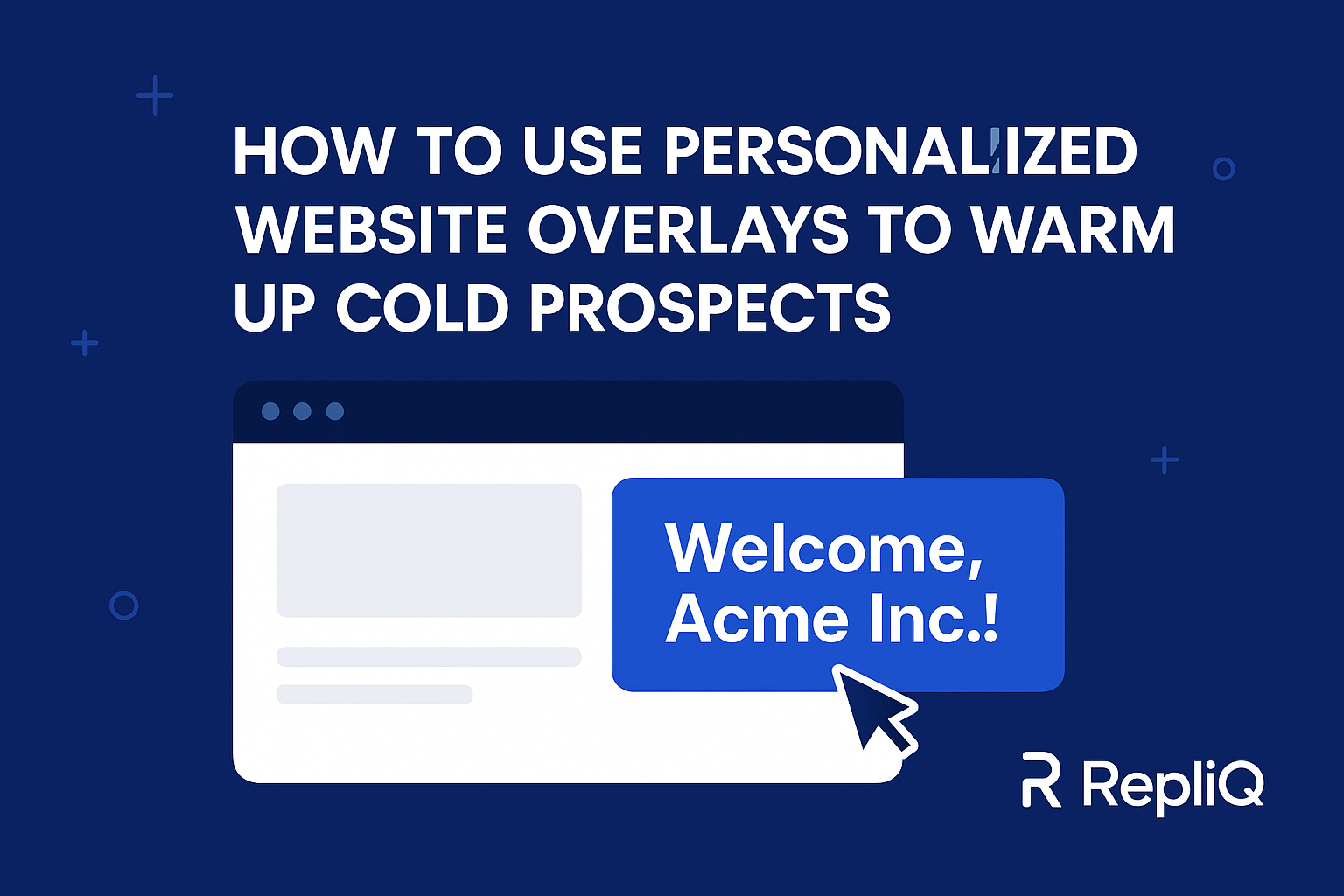
How to Use Personalized Website Overlays to Warm Up Cold Prospects (Definitive Outbound-First Guide)
You send a perfectly crafted cold email. The subject line is catchy, the value proposition is tailored, and the prospect clicks the link. Then, they land on your generic homepage—and they bounce.
Why? Because the conversation broke.
Cold prospects bounce because your website doesn’t match the specific narrative of your outbound message. You promised a solution to a specific pain point in the email, but your homepage screams generic features to a broad audience. This disconnect destroys trust and kills conversion rates.
Personalized website overlays fix this instantly. They act as a bridge, maintaining the context from your email or LinkedIn message directly onto your site. For Account-Based Marketing (ABM) and cold outreach teams, outbound-to-website continuity is no longer a luxury; it is the primary lever for performance.
This guide provides a deep, practical blueprint for using personalized overlays to warm cold traffic without requiring extensive engineering work. We will cover how to align your messaging, the technology required, and how to execute this strategy to stop leaking revenue.
Explore our hub for advanced outbound personalization strategies and insights.
Table of Contents
- Why Cold Outbound Traffic Fails Without Context
- How Personalized Website Overlays Work
- Outbound-to-Website Message Matching
- High-Converting Overlay Types and Examples
- Tech Requirements and Tools for Scalable Personalization
- Case Studies & Real-World Scenarios
- Tools, Templates & Setup Blueprint
- Future Trends in Overlay Personalization
- Conclusion
- FAQ
Why Cold Outbound Traffic Fails Without Context
When a cold prospect clicks a link in your email, they are looking for verification. They want to confirm that the promise you made in the inbox is real. However, most B2B websites are designed for organic traffic—visitors who are browsing generally—not for a specific prospect you just engaged with a targeted hook.
Cold visitors land with zero storyline. If you emailed a VP of Sales about "shortening deal cycles," but your homepage headline reads "The #1 Platform for Enterprise Efficiency," the cognitive load increases. The prospect has to translate your generic copy back into the specific context of their problem. Most won't bother. This "outbound messaging mismatch" is responsible for bounce rates exceeding 70% on cold traffic.
The pain here isn't just a high bounce rate; it is lost outbound ROI. You paid for the data, spent time crafting the sequence, and utilized domain reputation to get the click. Losing the prospect at the finish line because the landing experience felt impersonal is a massive efficiency leak.
This need for continuity is supported by usability standards. According to NIST (National Institute of Standards and Technology) guidelines on digital identity and usability, maintaining context across user transitions is critical for trust and error reduction (https://pages.nist.gov/800-63-4/sp800-63c/usability/). When the "identity" of the conversation changes abruptly—from a personal email to a generic site—the user experience degrades, and trust evaporates.
How Personalized Website Overlays Work
A personalized website overlay is a dynamic content layer that sits on top of your existing website. Unlike a standard popup that blasts the same newsletter offer to everyone, a personalized overlay reads incoming signals (like URL parameters) to render specific text, images, or calls-to-action (CTAs) relevant to that specific visitor.
This is dynamic website personalization without the need to rebuild your actual landing pages. The underlying website remains static, but the overlay modifies the initial experience to match the visitor's intent.
There are generally two methods:
- Text/DOM Injection: The overlay script swaps out headlines or inserts a banner based on the company name or industry found in the URL.
- Screenshot-Based Personalization: This involves generating a visual asset (like a personalized video thumbnail or a custom image) that acts as the overlay, often used in the outreach phase to drive the click, and then mirrored on the site.
Triggers are the engine behind this personalization. You can trigger specific overlays based on:
- UTM Parameters:
?utm_campaign=cold_outbound_retail - Dynamic URL Parameters:
?company=AcmeCorp&name=John - IP Intelligence: Identifying the visiting company via their IP address (though this is less precise for remote workers).
- Behavior Signals: Time on site or scroll depth.
From an accessibility and interaction standpoint, it is vital to ensure these overlays are non-intrusive yet noticeable. Yale University’s usability guidance on complex interactions emphasizes that users must be able to easily navigate and dismiss modal windows to maintain accessibility standards (https://usability.yale.edu/web-accessibility/articles/evaluating-complex-interaction). The goal is to assist, not annoy.
Core Components of an Effective Overlay
To move the needle on conversion, an overlay needs four specific elements:
- Headline Personalization: It must greet the visitor by name or company, or repeat the exact subject line of the email they just clicked.
- Account/Role-Based Value Prop: If the prospect is a CFO, the overlay should highlight ROI. If they are a CTO, it should highlight security.
- Contextual Bridge: A sentence acknowledging they came from an email or LinkedIn chat.
- Tailored CTA: Instead of "Book a Demo," try "Continue the conversation about [Topic]."
Real-World Example: Screenshot-to-Overlay Flow
RepliQ specializes in creating hyper-personalized visual assets for outreach. A powerful workflow involves using a screenshot of the prospect’s own website or a relevant interface as the "hook" in the email.
When the prospect clicks that image, they land on your site, where an overlay greets them with that same visual context. For example, if you sent a video overlay of their website with your tool running on top of it, the landing page should present that video immediately via an overlay. This visual continuity assures the prospect they are in the right place.
See how RepliQ’s screenshot engine generates these personalized assets at scale.
Outbound-to-Website Message Matching
Message matching is the practice of ensuring the text on your landing page mirrors the text in your ad or email. In website-based outreach, this matching must be granular.
The journey usually looks like this:
- Touchpoint 1: Cold Email (Subject: "Fixing Acme's churn rate")
- Touchpoint 2: LinkedIn DM (Reminder: "Left some thoughts on churn reduction...")
- Touchpoint 3: Website Visit.
If the website overlay says, "Welcome, Acme Team! Here is the churn reduction strategy we discussed," you have closed the loop. This warms cold prospects faster because it proves you are paying attention to them, not just blasting a list.
Email-to-Overlay Examples
Scenario: You are targeting eCommerce brands with a logistics solution.
- Email Subject: "2-day shipping for [Company Name]?"
- Email Body: Mentions reducing cart abandonment by 15%.
- Website Overlay:
- Headline: "Ready to offer 2-day shipping at [Company Name]?"
- Sub-headline: "See how we can reduce your cart abandonment by 15% specifically for [Industry] retailers."
- CTA: "View [Company Name]'s Logistics Plan."
This level of outbound personalization signals high effort and relevance.
LinkedIn-to-Overlay Examples
LinkedIn outreach is often more conversational and persona-driven.
- LinkedIn Message: "Hey [Name], I noticed you're scaling the SDR team at [Company]. I built a cheat sheet for onboarding reps faster."
- Website Overlay:
- Headline: "Hey [Name], grab the SDR Onboarding Cheat Sheet."
- Context: "As discussed on LinkedIn, here is the resource for the [Company] team."
- Dynamic Field: Uses
?source=linkedin&name=[Name]to populate the text.
Follow-Up Call / Post-Demo Overlays
Overlays are excellent for late-stage warming. If a prospect goes dark after a demo, sending them a link to a case study with a personalized overlay can reignite interest.
- Overlay Copy: "Welcome back, [Name]. I pulled this case study specifically because it matches [Company]’s current tech stack. Let me know if you have questions."
High-Converting Overlay Types and Examples
Not all overlays are created equal. While many competitors focus on generic "ABM platforms" that require six-figure contracts, agile teams can deploy specific overlay types for outbound engagement immediately.
Message-Matched ABM Overlays
These are strictly for Account-Based Marketing. The overlay is triggered by the company name found in the URL parameters sent from your outreach tool.
- Example: "Special pricing available for [Company Name] until Friday."
- Why it converts: It creates a sense of exclusivity and specific attention.
Intent-Based Overlays
These trigger based on user behavior during the visit.
- Scroll %: If a cold prospect reads 50% of your "Pricing" page, trigger an overlay: "Need a custom quote for [Company Name]?"
- Exit Intent: If the mouse moves to close the tab, trigger: "Wait, [Name]—before you go, here is the summary of the strategy I emailed you."
Value Proposition Switchers
This is a subtle form of overlay that replaces a specific <div> or hero section text rather than popping up a modal.
- Function: If the URL contains
?role=marketer, the headline changes to "Drive More Leads." If it contains?role=developer, it changes to "API-First Architecture." - Benefit: It speaks the language of the buyer persona instantly.
Screenshot-Based Micro-Overlays
Using tools like RepliQ, you can generate micro-overlays that feature a screenshot of the prospect's own website or LinkedIn profile.
- Example: An overlay that displays the prospect's website inside a mockup of your software.
- Science: Visual familiarity breeds trust. A study on visual intensity and conversion hosted on arXiv suggests that visual complexity and relevance significantly impact user attention and conversion probability (https://arxiv.org/abs/1903.11997). Showing the prospect their own brand helps capture that attention immediately.
Tech Requirements and Tools for Scalable Personalization
You do not need a dedicated engineering team to run personalized website overlays. The modern stack for this is lightweight and connects directly to your outbound tools (like Apollo, HubSpot, or Lemlist).
Trigger Setup (UTM, Parameters, Integrations)
The foundation of this strategy is the URL. You must configure your outbound sequences to append data to your links.
- Standard Link:
mysite.com - Personalized Link:
mysite.com?utm_source=email&company={{company_name}}&name={{first_name}}
Your overlay tool reads these parameters ({{company_name}}) and injects them into the overlay text. Most cold email platforms allow you to automatically append these dynamic variables to every link in your campaign.
Rendering Layer Options
- Browser-Side (JavaScript): The easiest implementation. You add a snippet of code (like a pixel) to your site header. This script looks for URL parameters and renders the overlay.
- API-Based: For advanced teams, the server renders the page differently before it even reaches the browser. This is faster but requires dev resources.
- Screenshot-First: Using RepliQ to generate the visual assets beforehand, hosting them, and simply embedding that image into a standard popup tool.
Tracking & Measurement
You must track how these overlays impact the funnel. Do visitors who see the personalized overlay stay longer? Do they book meetings?
- Metrics: Overlay View Rate, Click-Through Rate (CTR), and Bounce Rate comparison (Personalized vs. Generic).
- Guidance: According to a guide on online personalization for nonprofits (via FreeWill), effective measurement requires segmenting your audience to understand which personalization variables (e.g., name vs. company) drive the highest engagement (https://www.nonprofits.freewill.com/resources/blog/personalizing-online-experiences).
Case Studies & Real-World Scenarios
Cold Email to Overlay Conversion Lift
The Scenario: A SaaS company targeting HR Directors sent 1,000 cold emails.
- Control Group: Linked to the generic homepage. Conversion to demo: 1.2%.
- Test Group: Linked to a page with a parameter-triggered overlay saying, "Hi [Name], here is how we help [Company] automate payroll."
- Result: The Test Group saw a conversion rate of 3.8%. The continuity reassured the prospect that the solution was relevant to their specific role.
ABM Multi-Step Warm-Up
The Scenario: An agency targeting 50 high-value accounts.
- Strategy: They used a multi-touch sequence.
- Visit 1: Overlay acknowledges the cold email.
- Visit 2 (Retargeting): Overlay says, "Welcome back, [Name]. Did you see our case study on [Competitor]?"
- Result: By acknowledging the return visit, the agency humanized the digital experience, leading to a 40% increase in engagement depth (pages per session).
Anonymous Visitor Warming
The Scenario: A visitor arrives from a "Dark Social" source (direct traffic) but their IP address matches a target account.
- Strategy: The overlay triggers based on IP data: "We work with many Fintech companies like yours. See our Fintech case studies?"
- Result: Reduced bounce rate by 22% by guessing the context based on firmographic data.
Tools, Templates & Setup Blueprint
To execute this, you need a blueprint. Here is how to structure your outbound-to-website personalization.
Overlay Templates
Template A: The "Direct Connection" (Cold Email)
- Headline: "Hi [First_Name], picking up from my email."
- Body: "I mentioned how we could help [Company_Name] save 20 hours a week. Here is the breakdown."
- CTA: "See the Breakdown"
Template B: The "VIP Welcome" (ABM)
- Headline: "Exclusive access for [Company_Name]."
- Body: "We have unlocked a personalized demo environment for your team."
- CTA: "Enter Demo"
Workflow Blueprint (Outbound → Overlay → CTA)
- Data Prep: Clean your CSV list. Ensure Company Names are formatted correctly (e.g., "Apple" instead of "Apple Inc.").
- Link Construction: Create your URL schema in your email tool:
website.com?name={{first_name}}&company={{company_name}}. - Overlay Configuration: Set your overlay tool to trigger only when URL parameters are present.
- Fallback: Ensure you have a default fallback. If
{{company_name}}is missing, the overlay should read "Welcome to our site" instead of "Welcome to [blank]." - Launch & Test: Send a test email to yourself to verify the parameters pass through correctly.
Future Trends & Expert Predictions
The future of overlay personalization is moving beyond simple text replacement.
- AI-Driven Generation: Soon, AI will analyze the prospect's website in real-time and generate a completely unique overlay value proposition without you writing a template.
- Micro-Personalization at the Browser Layer: Browsers may eventually allow for local personalization where the user's own preferences dictate how the overlay is displayed (e.g., dark mode, high contrast, preferred language).
- Predictive Prompts: Overlays will use predictive AI to guess the user's next question based on their mouse movement and answer it before they click "Contact Us."
However, as we move toward AI personalization, compliance remains paramount. All data used for overlays must be sourced legally and compliantly, respecting GDPR and CCPA regulations regarding user profiling.
Conclusion
Cold prospects do not bounce because your product is bad; they bounce because they feel lost. They transition from a hyper-specific email to a generic website, and the cognitive dissonance forces them to leave.
Personalized website overlays bridge this gap. By carrying the context of your outbound message onto your landing page, you create a seamless narrative that builds trust and drives conversion. Whether you use simple text replacement or advanced screenshot-based personalization, the goal is the same: make the prospect feel like the website was built just for them.
This is a low-lift, high-reward strategy. It requires no massive engineering overhaul—just a commitment to continuity. Start by matching your headlines, testing your parameters, and watching your outbound ROI multiply.
FAQ
Frequently Asked Questions
Q1: How much personalization is enough for warming cold prospects?
You do not need to rewrite the whole page. "Minimum Viable Personalization" usually consists of the prospect's First Name and Company Name in the headline or overlay. This is enough to signal relevance and catch their eye.
Q2: Do overlays really improve outbound conversions?
Yes. Research and case studies consistently show that message matching (aligning ad/email copy with landing page copy) increases engagement. Personalized overlays are simply the most dynamic form of message matching, often lifting conversion rates by 2-3x compared to generic pages.
Q3: How do I track overlay performance?
You should track three core metrics:
- Impression Rate: How many visitors with parameters actually saw the overlay?
- CTR: How many clicked the CTA inside the overlay?
- Dwell Time: Did seeing the overlay cause them to stay on the site longer than average users?
Q4: Can overlays run without engineering support?
Absolutely. Most overlay tools work via a simple Javascript tag (like Google Analytics). Once installed via Google Tag Manager, marketing teams can build, launch, and edit overlays without writing a single line of code.
Q5: What’s the difference between RepliQ and enterprise ABM platforms?
Enterprise ABM platforms are often expensive, all-in-one suites that require complex integration. RepliQ focuses on an outbound-first approach, specializing in generating high-fidelity personalized assets (images/videos/screenshots) that can be easily embedded into your existing stack to drive engagement, offering a more agile and visual way to warm prospects.

.svg)
.png)


.svg)


