.png)
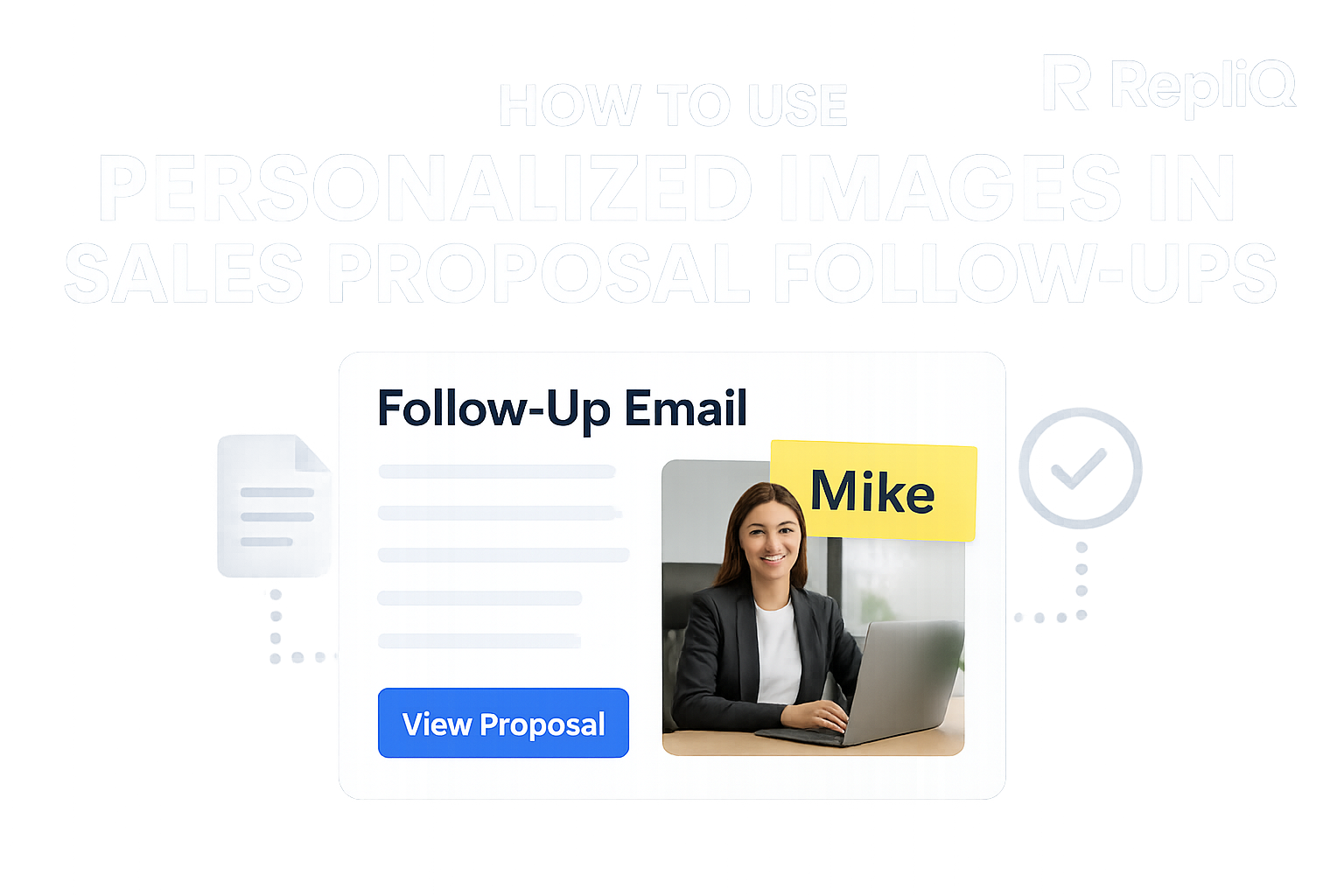
Sales Proposal Follow Up: How Personalized Proposal Visuals Keep Deals Moving
You know the feeling: the discovery call was flawless, the stakeholder alignment felt solid, and the demo ended with enthusiastic nods. You send the pricing deck, expecting a swift signature. Instead, the momentum drops, and your inbox goes completely silent.
This post-proposal void is one of the most frustrating challenges in B2B sales. But sending a generic "just checking in" email is rarely the solution. To achieve true deal acceleration, revenue teams need a better alternative—one that combines strategic cadence, value-led messaging, and personalized proposal visuals.
Whether you are a sales rep, an account executive, or an agency founder managing active opportunities, this guide is built for you. We will break down exactly why deals stall, when you should follow up, what to say, and how to use contextual visuals to re-engage buyers without creating hours of manual work. At RepliQ, we have seen firsthand how deploying contextual visual follow-ups in live sales conversations transforms a cold pipeline into closed-won revenue. If you want to dive even deeper after reading this guide, you can explore more sales personalization tactics on our blog.
Table of Contents
- Why Proposals Go Cold After Send
- The Ideal Proposal Follow-Up Timing and Cadence
- What to Include in a Value-Add Follow-Up Email
- How Personalized Visuals Keep Deals Moving
- A Scalable Workflow for Visual Proposal Follow-Ups
- Conclusion
- FAQ
Why Proposals Go Cold After Send
Understanding why deals stall post-proposal is the first step to fixing your follow-up strategy. When a buyer goes quiet, it is rarely a flat-out rejection. More often than not, silence is a symptom of attention decay, fierce inbox competition, unclear internal next steps, or a sudden loss of stakeholder alignment.
From the seller's perspective, the pain points are obvious: generic reminder emails get ignored, reps hesitate to reach out for fear of sounding pushy, and buyers simply forget the core value of the proposal after a few days. Standard proposal tracking software might tell you if a buyer opened your document, but it doesn't solve the underlying problem of buyer momentum. A truly buyer-centered approach adds value in every single touchpoint. Timing alone cannot save a deal if the message itself is forgettable.
As highlighted by research on buyer attention in B2B email negotiations, buyer attention spans are highly fragmented, and the way a message is framed directly influences the outcome of the negotiation. Furthermore, University of Missouri research on sales email effectiveness reinforces that the structure and clarity of your follow-up are critical to maintaining engagement. Unlike template-heavy advice that preaches endless persistence, a winning post-proposal engagement strategy requires relevance.
The 5 Most Common Reasons Deals Stall After a Proposal
- Attention Drops: The buyer’s urgency peaks during the live call but plummets the moment they return to their daily fires.
- No Urgent Next Step: The proposal lacks a clear, low-friction action item, leaving the buyer wondering what exactly they need to do next.
- Too Much Text: Sending a 30-page PDF without a digestible executive summary overwhelms the buyer, causing them to delay reviewing it.
- Weak Stakeholder Sharing: Your champion struggles to translate your complex value proposition to the final decision-maker.
- Poor Value Recall: Days pass, and the buyer forgets the specific pain points your solution solves.
When a sales proposal follow up simply asks, "Any thoughts on the proposal?", it fails because it puts the burden of effort entirely on the buyer. Better cadence and clearer assets are required to solve these friction points.
Why Generic Follow-Ups Feel Pushy Instead of Helpful
Repetitive check-ins create friction. Every time you send an email saying, "Just bubbling this up to the top of your inbox," you are asking the buyer for their time and effort without offering any new clarity in return.
Buyers are significantly more likely to engage when a value-add follow-up email reframes the core benefits, simplifies the impending decision, or makes the next internal step easier to execute. This is where visual sales outreach shines. Contextual visuals reduce cognitive load by summarizing your relevance in a matter of seconds, shifting your outreach from an annoying nudge to a helpful consultation.
The Ideal Proposal Follow-Up Timing and Cadence
A highly effective proposal follow-up strategy relies on a framework that supports buyer momentum rather than creating artificial pressure. Activity for the sake of activity will only alienate your prospect.
The ideal sales proposal follow up sequence provides a structured cadence where each touchpoint accomplishes a specific goal. Crucially, timing only works when it is paired with fresh value in every message. While many competitors stop at providing basic timing recommendations, the most successful revenue teams pair their cadence with personalized content assets.
Follow-Up #1 — The First Nudge After Proposal Delivery
Timing: 24 to 48 hours after sending the proposal.
The goal of this initial proposal follow-up email is confirmation, clarity, and maintaining buyer momentum—not pressuring them for a signature. Keep it brief. Provide a short recap of the proposal’s intended outcome, reiterate one key pain point discussed on your call, and include a simple next-step CTA.
Instead of resending a wall of text, use a light visual recap. This is the perfect moment to reinforce implementation ease or ROI relevance, ensuring your champion has exactly what they need to socialize the document internally.
Follow-Up #2 — The Value-Add Follow-Up
Timing: 3 to 5 days after the first follow-up.
This touchpoint must introduce something entirely new. Do not just ask if they have read the deck. Instead, provide a tailored ROI reminder, a stakeholder-specific angle, an implementation timeline view, or a concise use-case summary.
Make this post-proposal engagement feel consultative. For example, include a personalized image that highlights the buyer’s specific scenario, visually proving that your solution is custom-fit for their needs. You can leverage AI to generate these contextual assets at scale; discover how AI-generated images create fast, relevant follow-up assets for deal acceleration.
Follow-Up #3 — The Momentum-Saving or Breakup Touch
Timing: 7 to 10 days after the second follow-up.
When deals go quiet, your final touch should be respectful, concise, and action-oriented. The goal is to reduce friction and give the buyer an easy out or a simple path forward. Offer a simple yes/no path, suggest a revised timeline, or propose a low-effort next conversation.
A final visual summary works incredibly well here. Use an image that makes your core value proposition instantly memorable again, reminding them exactly what they stand to lose by maintaining the status quo. This is how to keep deals moving after a proposal without burning bridges.
How to Adapt Cadence Based on Buyer Signals
Follow-up timing is not rigid; it must adapt to buyer signals. If a buyer is highly engaged (e.g., your tracking software shows them opening the proposal multiple times), you might accelerate your value-add touch. If you are dealing with a multi-stakeholder account facing internal delays, stretch the cadence and provide assets specifically designed for the CFO or technical lead.
If pricing questions arise, pivot your strategy to address ROI immediately. Multi-threaded follow-up across both email and LinkedIn can also help maintain visibility, provided the core principle remains consistent: absolute relevance to the buyer's current context.
What to Include in a Value-Add Follow-Up Email
Structuring the message itself is just as critical as the timing. Every sales follow-up email must answer three questions for the buyer: Why does this matter? Why now? What should happen next?
Concise writing that surfaces one core idea is always more effective than repeating the entire proposal. As noted by University of Missouri research on sales email effectiveness, clarity, tight structure, and proper attention management are vital to closing deals. Consider this section the bridge between standard email best practices and the personalized visual strategy we will cover next.
Restate the Buyer’s Problem and Desired Outcome
Anchor your message in the buyer’s original pain point, not your quota or your need for an update. Reconnect the proposal directly to their business outcomes rather than just listing features or pricing tiers.
Example Formula: "You mentioned [Challenge X] was slowing down your Q3 production; this proposal is designed to help your team achieve [Result Y] within the first 30 days."
This keeps your ROI messaging front and center, ensuring the buyer remembers exactly why they took the meeting in the first place.
Highlight One Relevant Proof Point or ROI Angle
Your follow-up should introduce a specific, compelling reason to re-engage. Choose one strong angle: an ROI snapshot, proof of implementation simplicity, tight use-case alignment, or a clear business impact metric.
Do not overload the email with five different statistics or bold claims. Pick one strong proof point and pair it with a personalized proposal visual later in your workflow to maximize deal acceleration.
Make the Next Step Obvious and Easy
A confused buyer takes no action. Use a single, crystal-clear next-step CTA. Whether you want them to approve the proposal, review it with stakeholders, book a follow-up call, or simply reply with questions, make it frictionless.
Avoid vague asks like, "Let me know what you think." Instead, use low-commitment CTAs such as, "Are you open to a 5-minute sync on Thursday to review the implementation timeline?"
Keep It Short Without Losing Relevance
Concise sales follow-up emails drastically outperform long, rambling recaps. Executives scan their inboxes; they do not read them. Frame your brevity as a buyer-experience advantage—you respect their time enough to get straight to the point.
Stick to a simple, three-part structure: Context, Value, Next Step.
How Personalized Visuals Keep Deals Moving
The core differentiator in modern post-proposal engagement is the use of contextual visuals. Personalized images for sales make your follow-ups instantly memorable and highly actionable.
Visuals work at this stage because they help buyers quickly recall the proposal’s value, significantly reduce cognitive load, and make your message stand out in a visually monotonous inbox. The best personalized proposal visuals are never just decorative; they actively reinforce relevance, business outcomes, and next steps.
When comparing text-only follow-ups to visual follow-ups, the difference in memorability and clarity is stark. A systematic review on personalization and pictures in email response supports the claim that thoughtful personalization and imagery can markedly improve engagement. Furthermore, Stanford research on email personalization confirms that light, relevant personalization boosts performance. Unlike standard proposal reminder tools that just automate text, visual sales outreach changes the actual experience of the buyer.
What Makes a Personalized Proposal Image Effective
An effective contextual visual contains four core ingredients: buyer context, proposal relevance, a visual restatement of value, and a clear action cue.
The image should reflect the buyer’s unique situation rather than looking like a generic, heavily branded marketing graphic. Whether it is a custom screenshot of their website, a tailored ROI snapshot, an implementation timeline featuring their company logo, or a stakeholder summary, the visual must scream relevance the second it is opened.
5 Types of Visuals to Use After Sending a Proposal
- Proposal Recap Image: A clean, visually appealing summary of the 3 main deliverables. Solves the problem of memory loss and text fatigue.
- ROI / Value Snapshot: A customized chart or graphic showing their specific projected returns. Solves pricing hesitation.
- Stakeholder-Specific Summary Visual: A one-pager graphic designed specifically for the CFO or technical lead. Solves delayed stakeholder buy-in.
- Implementation Timeline Graphic: A visual roadmap showing exactly what happens weeks 1 through 4 after signing. Solves the fear of onboarding friction.
- Next-Step Screenshot or Annotated Preview: An image showing exactly where to click to sign, or a sneak peek of their soon-to-be account. Solves confusion over the next action.
Industry and Use-Case Examples
- SaaS Sales: Use an ROI summary visual that contrasts their current manual hours spent versus the automated hours saved using your software.
- Agencies: Send a creative proof visual—a customized mockup of a landing page or ad creative featuring the prospect's branding to show immediate value.
- Service-Based Teams: Utilize an implementation simplicity graphic that outlines the exact 3-step onboarding process, proving that hiring your consultancy won't create extra work for their team.
When Visual Personalization Backfires
Personalization must feel relevant, not invasive, over-produced, or gimmicky. Research on personalization reactance in email cautions that overly personal outreach can trigger resistance and break trust.
Avoid excessive personal details (like scraping personal social media photos), irrelevant customization, or flashy visuals that distract from the actual CTA. The contextual visual should support the sales message and make the buying decision easier, never replace the core business value.
A Scalable Workflow for Visual Proposal Follow-Ups
Having a great strategy is only half the battle. To truly impact deal acceleration, you need to operationalize visual proposal follow-ups without turning them into a manual bottleneck for your sales team.
This is the missing link between a good idea and consistent execution. By building a repeatable process—from trigger to send—you can maintain scalability, consistency, and speed. At RepliQ, we help revenue teams generate contextual visuals at scale. By leveraging AI-assisted image creation, teams can eliminate manual design work while maintaining hyper-relevance.
Step 1 — Define Trigger Points in the Sales Process
Identify the exact moments in your CRM when a visual follow-up should be generated. Common triggers include:
- Proposal sent (Trigger: First touch visual recap)
- No response after 3 days (Trigger: Value-add visual)
- Stakeholder delay identified (Trigger: Executive summary graphic)
- Pricing objection raised (Trigger: ROI snapshot)
- Final check-in (Trigger: Breakup/Status quo cost visual)
Tie every trigger directly to a specific buyer need to ensure your post-proposal engagement is always timely.
Step 2 — Build Reusable Visual Templates
Standardize the structure of your visuals while allowing the context to be customized dynamically. Build template categories aligned with the visual types mentioned earlier (recap, ROI, implementation, stakeholder summary, next step).
By using scalable personalization templates, your team can deploy highly relevant visual sales outreach in seconds rather than waiting on a graphic designer for every single deal.
Step 3 — Personalize the Right Variables
The goal is selective relevance, not maximum customization. Focus on the inputs that actually matter to the buyer:
- Buyer Name & Company Logo
- Core Pain Point
- Expected Business Outcome
- 3-Bullet Proposal Summary
- Clear CTA
A common mistake is adding too many variables or using low-context personalization (like a generic picture of a coffee cup with their name on it). Keep the variables strictly tied to business value.
Step 4 — Pair the Visual With a Short, Value-Led Email
The image and the email text must work in harmony. Use a simple framework for the email body:
- One-sentence context: "Hi [Name], following up on the proposal we reviewed Tuesday."
- One-sentence value reminder: "I put together this quick timeline showing how we can have [Pain Point] resolved by the end of the month."
- One CTA: "Are you open to a brief chat tomorrow to finalize the kickoff date?"
This ensures the personalized proposal visuals do the heavy lifting while the text drives the action.
Step 5 — Track What Actually Moves Deals Forward
To refine your proposal follow-up strategy, track the metrics that matter: reply rate, meetings booked, proposal progression, stakeholder engagement, and pipeline stage movement.
Run lightweight experiments comparing text-only follow-ups against visual follow-ups over a defined sample size. Because RepliQ utilizes advanced AI enrichment and context verification, our internal experiments consistently show that scalable, visually enriched execution outperforms generic text reminders by keeping the buyer's attention locked on the value.
Conclusion
Effective sales proposal follow up is not just about stubborn persistence; it is about maintaining buyer momentum through timely, relevant, and value-adding communication.
When deals stall, personalized proposal visuals act as a powerful catalyst for deal acceleration. They restate your value faster, stand out in a crowded inbox, and make the next steps incredibly easy for your buyer to act on. By fixing your cadence, elevating your message quality, and injecting contextual visual assets where they create the most lift, you can stop losing winnable deals to silence.
Ready to stop sending generic check-ins and start closing more pipeline? Discover how RepliQ can help your revenue team create personalized proposal visuals at scale. For more actionable sales workflow ideas, visit our blog.
FAQ
How do you follow up after sending a sales proposal?
The best sales proposal follow up combines strategic timing, value-led messaging, and a frictionless next step. Instead of simply asking for an update, ensure each touchpoint adds something useful to the buyer's decision-making process, such as an ROI breakdown or an implementation timeline.
When should you send a sales proposal follow-up?
Use a structured cadence based on buyer context. A standard timeline is a first touch at 24-48 hours, a value-add touch at 3-5 days, and a final touch at 7-10 days. Always adapt your proposal follow-up timing based on stakeholder complexity, urgency, and visible engagement signals.
What should you include in a proposal follow-up email?
A strong sales follow-up email includes the buyer’s core problem, the expected business outcome, one highly relevant proof point, and a simple CTA. Pairing this text with a personalized image helps summarize these critical points quickly and effectively.
Do personalized images improve response rates in sales follow-ups?
Yes, contextual visuals and personalized images for sales can significantly improve engagement and memorability, provided they are highly relevant, concise, and used specifically to add clarity to the buying decision rather than just serving as a gimmick.
How can visuals help accelerate deals after a proposal is sent?
Visuals accelerate deals by instantly restating the proposal's value, reducing the buyer's cognitive load, supporting easy stakeholder sharing, and making the next steps visually obvious. Ultimately, personalized proposal visuals are one of the most effective ways to maintain critical buyer momentum.

.svg)
.png)


.svg)