.png)
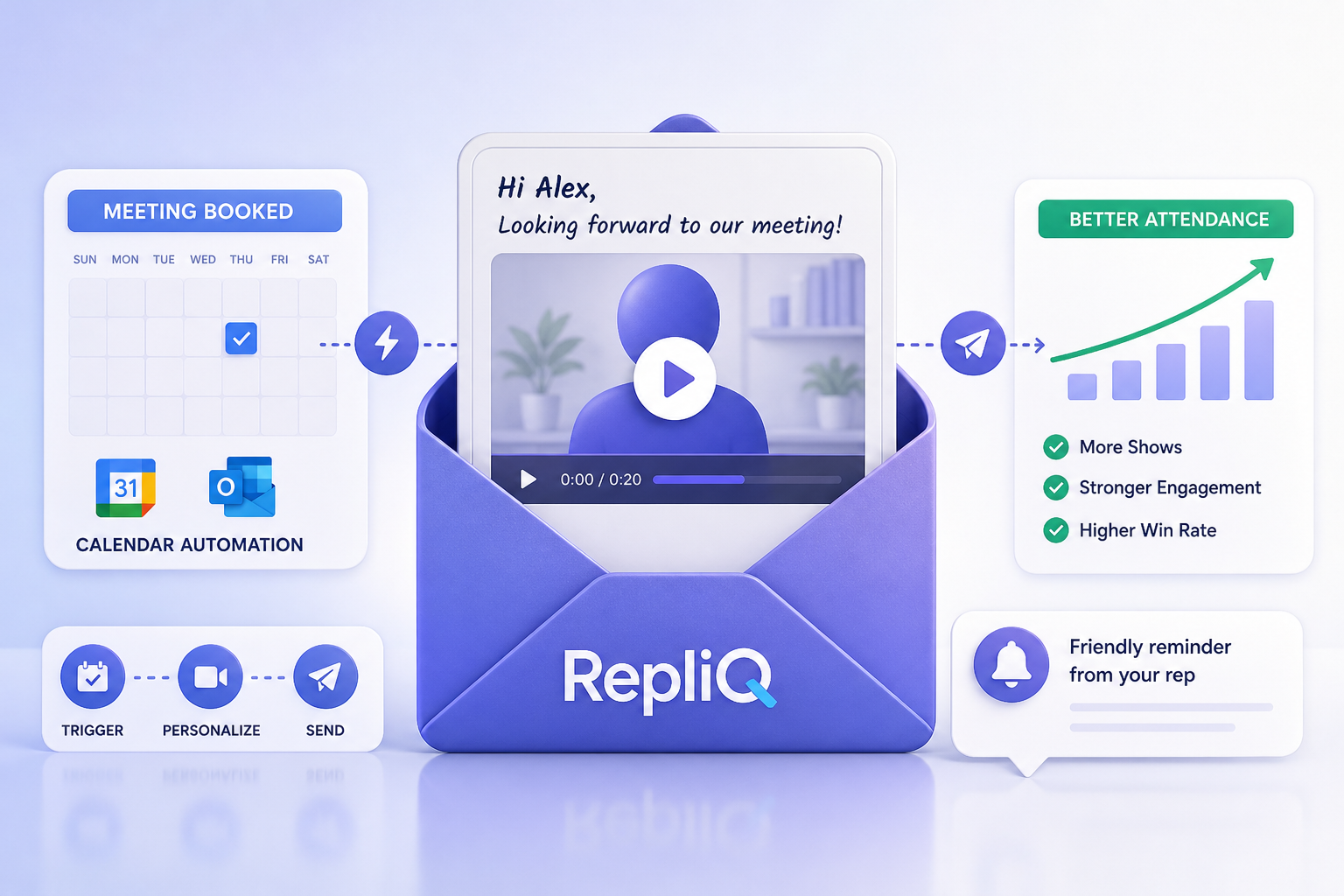
How to Create Personalized Video Meeting Reminders That Reduce Sales No-Shows
Prospects often book a meeting with the best of intentions, only to forget exactly why they scheduled it days later. When the time comes to connect, they might overlook a generic calendar notification, leading to a missed opportunity for both sides. A personalized meeting reminder, specifically in the form of a short video, can change this dynamic. By taking a moment to restate the meeting’s purpose, build rapport, and put a human face to the calendar invite, you make the upcoming conversation feel highly relevant and difficult to ignore.
While personalized videos can significantly support attendance, teams should set realistic expectations. Rather than viewing video as a guaranteed way to reduce sales no-shows, revenue teams should test its effect as part of a broader strategy. A personalized video meeting reminder should complement your existing calendar, CRM, email, and sales-engagement tools—not replace your foundational scheduling process.
The workflow is straightforward: write a short script, record a 20-to-60-second video, send it at useful points in the booking journey, and measure the results. Best of all, this is a beginner-friendly process. You do not need an expensive camera, advanced editing software, or a complicated production process to create a video meeting confirmation that works.
Why Personalized Video Reminders Improve Meeting Readiness
When you rely exclusively on automated systems to confirm appointments, you risk losing the human context that drove the prospect to book in the first place. A short video adds context without becoming intrusive or overly promotional.
The limitations of a standard calendar reminder
A basic calendar notification typically confirms only the date, time, and meeting link. While this logistical information is necessary, it often fails to remind the prospect why they booked the call, what specific topics will be discussed, or what they should prepare in advance.
This gap in communication directly connects to common sales pain points: forgotten context, unclear expectations, and easily ignored notifications. A standard meeting confirmation email or automated meeting reminders often blend into a crowded inbox. While generic reminders are not entirely ineffective—they are essential for basic scheduling—relying on them alone means missing an opportunity to engage the prospect. A sales meeting reminder needs an additional layer of relevance to stand out, and video provides exactly that.
What a personalized video adds
Mentioning a prospect’s name, company, goal, or stated challenge immediately makes the reminder feel specific and tailored. The ideal video is brief, highly useful, and focused strictly on meeting readiness rather than serving as an early product pitch.
A highly effective personalized video reminder contains five core elements: the prospect’s name, the reason for the meeting, the planned agenda or discussion topic, key logistics (such as time zone and meeting link), and a clear next step or invitation to reply. Providing this level of detail offers tangible value. In fact, a systematic review of appointment reminders suggests that richer reminder content may provide more value than date-and-time information alone. While this evidence concerns appointment reminders broadly and does not guarantee a specific result for sales videos, it highlights the importance of pre-meeting engagement. An appointment reminder video that prioritizes context helps prospects arrive prepared and motivated.
When a video reminder is most useful
Not every calendar event requires a video. A video meeting confirmation is most useful for high-value interactions, including discovery calls, product demos, consultations, follow-up meetings, and conversations involving multiple stakeholders. In these scenarios, establishing rapport and clarifying the agenda can make or break the deal.
Conversely, a short text or email reminder may be entirely sufficient for routine internal meetings or for recipients who explicitly prefer text-only communication. Keep your tone helpful and position the video as an optional resource rather than assuming every prospect wants to watch one. By reviewing meeting confirmation message examples, you can balance when to use a simple text-based sales meeting reminder versus a personalized video.
How to Create and Script a Short Meeting Reminder Video
Creating an effective reminder does not require a background in video production. By following a repeatable recording process and utilizing practical scripts, beginners can produce high-quality reminders without overproducing the final asset.
Prepare the information before recording
Before you hit record, take a few minutes to review the booking form, CRM record, previous conversation notes, and the calendar event. Select one or two meaningful personalization details instead of trying to cram everything you know about the prospect into a 30-second clip.
Confirm the meeting date, time zone, attendees, meeting link, and intended outcome. Decide whether the primary goal of your video is to confirm the meeting, prepare the prospect for a specific topic, or reinforce an agreed-upon next step. Use a simple checklist to guide your preparation: Who is attending? Why did the prospect book? What will be discussed? What should the prospect bring or consider? What action should they take? Having these answers ready ensures your calendar booking confirmation and sales meeting confirmation feel like a personalized meeting reminder rather than a generic broadcast.
Use a simple 20-to-60-second script
A successful meeting reminder video script should be concise, aiming for a total length of 20 to 60 seconds. Structure your personalized video reminders using the following framework:
- Opening: Greet the prospect by name.
- Context: Mention the reason for the scheduled conversation.
- Agenda: Explain what will be covered.
- Value: Clarify what the prospect should leave with.
- Logistics: Confirm the time and meeting link.
- Close: Invite questions or acknowledge the upcoming conversation.
Sound conversational rather than reading a long, rigid sales pitch. Here is a short generic example structure (note that this is a baseline, not a guaranteed conversion formula): “Hi [Name], I’m looking forward to our conversation about [topic]. We’ll focus on [agenda] and make sure we address [goal]. We’re scheduled for [time], and you can join here: [link]. If there’s anything specific you’d like to cover, feel free to send it over beforehand.” Reviewing video sales follow-up examples can further help you refine your delivery.
Adapt the script to different meeting types
Different stages of the sales cycle require different messaging. Adapt your script concisely for these four use cases:
- Discovery call: Reference the prospect’s business goal or challenge and explain what the initial conversation will clarify.
- Product demo: Confirm the use case, attendees, and specific features or workflows you plan to review.
- Consultation: Set clear expectations about the questions, information, or decisions involved in the call.
- Follow-up meeting: Recap the previous discussion and preview the agreed-upon next step.
Always avoid making the reminder feel like a second sales pitch. Recommend one specific detail from the previous interaction rather than relying on excessive personalization. By reviewing personalized appointment reminder examples and meeting confirmation message examples, you can craft a sales meeting reminder that perfectly fits the context.
Record with lightweight equipment
You do not need a professional studio. A smartphone or a standard webcam, a quiet space, and reasonable natural lighting are more than enough for a practical reminder. Focus your efforts on capturing clear audio, maintaining a stable frame, making direct eye contact with the lens, and delivering your message concisely.
Always include captions or a transcript, plus fallback text in your email for recipients who cannot or prefer not to watch the video. Avoid spending time on elaborate editing, branded intros, or unnecessary visual effects. If you want to streamline this process, introduce RepliQ’s AI videos offering as a lightweight option for creating personalized videos without advanced production skills. This aligns with RepliQ’s core positioning: lightweight personalized reminders designed strictly to reinforce context and improve meeting attendance without the heavy lifting of traditional video production.
When and Where to Send a Personalized Reminder Sequence
Creating the video is only half the strategy; delivering it effectively is just as critical. Combining a video meeting confirmation with automated calendar and text-based reminders at the appropriate stages ensures your prospect is prepared.
Build a simple three-stage sequence
A practical sequence that revenue teams can easily adapt involves three distinct touchpoints:
- Immediately after booking: Send the confirmation, calendar event, meeting link, and your short personalized video.
- Before the meeting: Reinforce the agenda, expected outcome, or a specific preparation item (usually 24 hours prior).
- Final logistical reminder: Confirm the time, access details, and provide an easy way to reschedule (usually 10 to 15 minutes prior).
The exact schedule should be tested and adjusted based on your specific meeting type, audience, and recipient preferences. Keep in mind that more reminders are not automatically better; the goal is to provide useful context without creating message fatigue. Research on reminder timing and frequency highlights the value of testing multiple reminder points to find what works best, though it is worth noting that this study’s broad appointment setting may not map perfectly to every B2B sales meeting. Still, optimizing your automated meeting reminders and finding the best time to send meeting reminders remains a cornerstone of an effective sales meeting reminder strategy.
Choose the delivery channel
Selecting the right channel is critical for ensuring your message is received and welcomed.
- Email: This is generally the best channel for including the video, written context, the agenda, and the meeting link. It allows for a comprehensive meeting confirmation email.
- SMS: This channel is highly useful for a brief final nudge, provided the recipient has explicitly consented and the channel is appropriate for your industry.
- Calendar invite: This is essential for logistics, time-zone clarity, and easy access to the event link.
Always send the video with fallback text rather than relying on video playback alone. Encourage your team to use the recipient’s preferred channel where that information is available. A study of appointment reminder preferences explains why channel, timing, frequency, and content should be adapted to the user rather than treated as a one-size-fits-all solution. Tailoring your approach improves the performance of your video meeting confirmation and meeting reminder email templates.
Make the reminder accessible and trustworthy
Accessibility and trust are non-negotiable. Always include captions, a transcript or text summary, and a highly visible meeting link. Never include sensitive personal or company information in the video that does not strictly need to be there.
Furthermore, provide a simple rescheduling option so the prospect can easily update the meeting time instead of silently missing it. Use privacy-conscious personalization and strictly follow all applicable consent requirements for email, SMS, and recorded video. A trustworthy personalized meeting reminder and appointment reminder video will always outperform a generic meeting confirmation email that ignores user preferences.
How to Personalize Reminders Efficiently at Scale
Personalization works, but doing it entirely manually for every single meeting can overwhelm a sales team. The goal is to maintain a human tone while reducing the manual work involved in creating multiple reminder videos.
Personalize the details that matter most
Prioritize the information that genuinely improves meeting relevance. Focus on the prospect’s name, their company or role, their stated objective or challenge, the meeting type, and the expected next step.
Avoid superficial personalization that does not connect to the actual business conversation. Create separate, repeatable templates for discovery calls, demos, consultations, and follow-ups. Always have a fallback version ready for times when the booking record contains limited information. This ensures your automated video personalization still functions as an effective personalized meeting reminder and supports your broader sales engagement meeting reminders.
Combine templates with automation
A smart workflow connects booking details seamlessly with your CRM, calendar, email platform, or sales-engagement system. You can use event status, meeting type, booking time, recipient engagement, or previous attendance behavior as workflow conditions to trigger specific messages.
Automate the highly repeatable elements of your sequence while reserving manual review for high-value or complex enterprise meetings. Rather than ripping out your existing scheduling stack, introduce RepliQ as a practical way to create personalized reminders that fit into an existing meeting-booking workflow. Unlike standard scheduling or video-recording tools that merely confirm logistics or share a generic video, RepliQ acts as a lightweight personalization layer that helps you deliver a complete, meeting-specific reminder sequence. This approach elevates your automated meeting reminders, calendar booking confirmation, and automated video personalization.
Use a quality-control checklist
Before sending any automated sequence, ensure quality control. Confirm that the prospect's name and company are correct, the meeting time and time zone are accurate, and the meeting link actually works. Verify that the video matches the specific meeting type, captions or fallback text are included, and the message does not make unsupported promises.
Recommend a manual human review for sensitive, executive, or exceptionally high-value meetings. Accuracy, privacy, accessibility, and clear expectations are fundamental trust-building requirements—not optional production details.
How to Measure Attendance and Meeting Quality
To understand the true business impact of your new workflow, you must evaluate tangible outcomes rather than focusing solely on vanity metrics like video views.
Establish a baseline and comparison group
Before introducing personalized videos, record your current performance to establish a baseline. Where practical, compare the new personalized video reminder process against the team’s existing reminder process using a control group.
Keep your initial test focused on one specific meeting type, one audience segment, or one sales team before attempting to scale company-wide. Avoid claiming direct causation from a small sample size or a single successful meeting. A methodical approach is the best way to validate your sales no-show prevention efforts and accurately measure how well you reduce sales no-shows through sales engagement meeting reminders.
Track useful metrics
To gauge success, track a comprehensive set of metrics. Recommend measuring the attendance or show rate, late cancellation rate, rescheduling rate, and on-time start rate. Where available, track video engagement and the reply rate before the meeting occurs. Most importantly, measure agenda completion (meeting readiness) and the qualified next-step conversion rate.
Video views alone do not prove that reminders improved meeting quality or had a revenue impact. Use qualitative feedback from your sales representatives and prospects to identify whether the videos actually clarified expectations. The AHRQ guide to effective meetings emphasizes that a clear purpose, defined meeting outcomes, actionable items, and participant feedback are critical indicators of meeting effectiveness. Tracking these elements will give you a true picture of your meeting attendance rate, sales no-show prevention success, and overall pre-meeting engagement.
Improve the workflow based on results
Use your data to iterate. If attendance does not improve, test your message length, timing, delivery channel, personalization quality, and the ease of your rescheduling experience. If the videos receive high views but the meetings remain unproductive, you likely need to improve the agenda and expected outcome stated in the video.
If recipients simply do not engage with the video format, keep the written confirmation and test a shorter or text-first version. Scale the process across the wider sales floor only after the workflow is accurate, useful, and easily manageable for the team. Continuous testing is the only proven way to reduce sales no-shows, find the best time to send meeting reminders, and optimize your personalized video reminders.
Frequently Asked Questions About Personalized Meeting Reminder Videos
How long should a meeting reminder video be?
Aim for approximately 20 to 60 seconds. The video should quickly confirm context and logistics rather than repeat your entire sales pitch. Keeping it brief respects the prospect's time while delivering a highly effective appointment reminder video and personalized video reminders.
What should I say in a video meeting confirmation?
Cover the prospect’s name, the meeting purpose, the agenda, the expected outcome, key logistics, and the next step. Encourage a conversational tone and include one or two meaningful personalization details to make the video meeting confirmation stand out among other meeting confirmation message examples.
When should I send a personalized video reminder?
Utilize a three-stage sequence: immediately after booking, a day before the meeting to reinforce the agenda, and a final logistical reminder right before the call. Test this timing based on your specific meeting type, audience, and preferred channel to find the best time to send meeting reminders and optimize your automated meeting reminders.
Can personalized videos reduce sales no-shows?
Personalized videos may help reinforce meeting context and improve engagement, but the final results depend heavily on timing, relevance, delivery, and the friction of the wider booking process. Always measure your show rate and related outcomes against a historical baseline to track your true reduce sales no-shows and sales no-show prevention metrics.
How can I personalize reminders without spending too much time?
Leverage reusable scripts, meeting-specific templates, structured booking data, and smart automation. Personalize just one or two highly relevant details rather than producing a completely different, heavily edited message each time. This allows for efficient automated video personalization and a scalable personalized meeting reminder strategy.
Conclusion: Turn Meeting Confirmation Into Useful Pre-Meeting Context
A successful meeting reminder workflow is built on a few core steps: confirm the meeting immediately after booking, record a concise video packed with relevant context, and send those reminders through the prospect's preferred channels. Always include captions, fallback text, and a frictionless rescheduling option, and be sure to measure your attendance and meeting quality against a solid baseline.
The main differentiator of this strategy is that the goal is not polished, high-end video production. The goal is simply helping prospects remember exactly why the meeting matters and what they should expect. Encourage your team to start with just one meeting type and run a small test before expanding the workflow across the entire sales organization.
If you are ready to streamline this process, link the primary CTA to RepliQ’s AI videos page. It is the ideal lightweight way to create personalized meeting reminder videos at scale. For additional practical guidance on personalized video and sales engagement, link to the blog as a supporting resource for readers who want more video and sales-engagement guidance.
Ultimately, RepliQ helps teams create lightweight personalized videos that reinforce context. While it does not guarantee attendance or replace thoughtful meeting planning, it is a powerful tool to elevate your personalized meeting reminder, enhance your video meeting confirmation, and help reduce sales no-shows.
Author and Brand E-E-A-T Note:
RepliQ is dedicated to helping revenue teams build practical, lightweight personalized video workflows that drive engagement. The guidance provided in this article is designed specifically for beginners and does not require expensive equipment or complex production software. Our recommended approach prioritizes accurate meeting details, privacy-conscious personalization, strict accessibility standards, and measurable testing to ensure compliance and effectiveness. Establishing a human connection is vital in digital sales; as noted in research on social presence in video communication, seeing a human face significantly enhances trust and rapport. All workflows discussed herein emphasize legal, compliant data use and ethical automation practices.

.svg)
.png)


.svg)