.png)
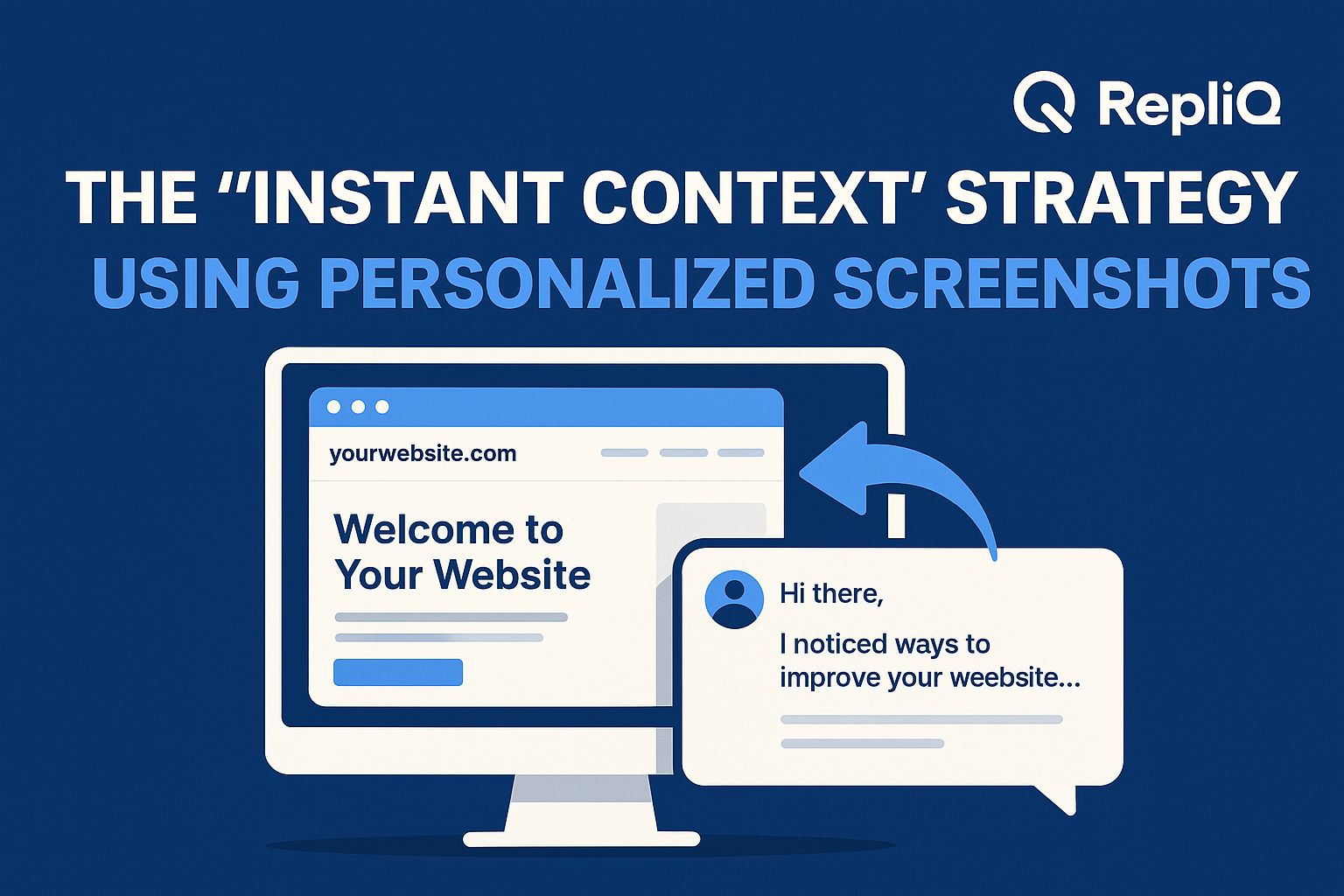
Personalized Screenshots: The Instant Context Strategy for Higher-Engagement Outreach
Generic outreach gets ignored because recipients simply do not see its relevance fast enough. In a digital landscape saturated with automated messages, the battle for a prospect's attention is won or lost in the first three seconds of them opening an inbox or scrolling a feed. In these crucial moments, visual context drastically outperforms text-only introductions.
This article is a strategic guide to mastering that critical window. Personalized screenshots create instant context, bridging the gap between highly tailored outreach and scalable execution without the heavy production burden of fully custom video. You will learn why instant context matters, how contextual outreach visuals improve first-touch engagement, exactly what to include in your images, how to scale the process, and when screenshots beat out video or generic templates.
For sales, outbound, and ABM teams looking for scalable personalization, this approach is a game-changer. As a brand dedicated to personalized visual outreach, RepliQ understands that tailored screenshots are not just a gimmick—they are a fundamental shift in how we signal relevance. If you want to dive deeper into broader tactics after reading this guide, you can explore more outreach and personalization strategies to elevate your campaigns.
Table of Contents
- Why Instant Context Matters in Outreach
- How Personalized Screenshots Improve First-Touch Engagement
- What to Include in a High-Context Screenshot
- How to Scale Screenshot Personalization with Automation
- Personalized Screenshots vs Video and Generic Outreach
- Tools, Measurement, and Workflow Tips
- Future Trends & Expert Predictions
- Conclusion
- FAQ
Why Instant Context Matters in Outreach
Instant context is the strategic principle of showing a prospect something recognizably theirs—such as their website, brand, product page, or specific use case—before you ever ask for their attention. In crowded outreach environments, this principle is the ultimate differentiator.
When you lead with instant relevance in outbound outreach, you drastically reduce the recipient's cognitive load. They no longer have to decode a block of text to figure out if your message applies to them. This aligns perfectly with NIST human-centered design principles, which dictate that communication is vastly more effective when it directly reflects the user's context, task, and environment.
This framework solves the underlying pain point of cold email personalization: generic outreach fails because it asks the reader to do too much work upfront. Personalized screenshot outreach serves as the perfect middle ground between generic cold outreach and heavy, 1:1 bespoke production. Unlike competitor strategies that treat visuals as a mere novelty or pattern interrupt, this approach treats the screenshot as a deliberate, high-value relevance signal. While specific outcomes vary by audience and channel, peer-reviewed evidence on personalization and response rates consistently shows that aligning content with the recipient's immediate context improves first-touch response behavior.
Why generic outreach underperforms
Text-only outreach often lacks the stopping power required to stand out in crowded inboxes and noisy LinkedIn feeds. Recipients are ruthlessly efficient, deciding in fractions of a second whether to engage, skip, or delete a message. Generic outreach gets ignored because it relies on implied relevance rather than obvious relevance. If a prospect has to read three paragraphs just to understand why you are contacting them, you have already lost them. You must learn how to stand out in crowded inboxes by proving your relevance instantly.
The role of visual proof in first-touch messaging
Website screenshot personalization acts as undeniable visual proof that the sender actually researched the prospect. Seeing one’s own homepage, a specific product page, or familiar brand context triggers immediate curiosity much faster than a paragraph of clever copy ever could. In this framework, sales outreach visuals are never just decoration; they are the primary relevance cue. Contextual outreach visuals prove that the message was crafted specifically for the recipient, validating their decision to keep reading.
Why screenshots occupy the “middle ground”
When comparing personalized screenshots vs personalized video, screenshots offer a distinct operational advantage. They are lighter and vastly more scalable than custom video production, yet they remain much more specific than generic text templates. Dynamic screenshots provide the perfect middle ground for sales personalization, making them exceptionally attractive for revenue teams that need to maintain both deep personalization and high daily throughput.
How Personalized Screenshots Improve First-Touch Engagement
Personalized visuals compress trust and relevance into a single glance. By creating immediate curiosity, screenshots effectively improve the progression from open-to-click or message-to-click. However, these visuals work best when paired with concise, highly targeted copy rather than being used in isolation.
According to CDC guidance on visuals supporting the main message, visual elements are most effective when they directly support and reinforce the core message rather than distracting from it. This principle holds true across cold email, LinkedIn outreach, sales video thumbnails, and ABM campaigns. While vendors like Loom, Vidyard, and Hyperise have shown category-wide patterns of visual engagement, the core mechanism remains the same: website screenshots for sales prospecting prove relevance instantly. To see how these workflows fit into modern campaigns, you can explore practical examples of AI-driven outreach.
Personalized screenshots reduce cognitive friction
When a prospect opens an email and sees their own website, they immediately recognize the context without having to read a single word. This is the ultimate shortcut to instant relevance. The thought process seamlessly shifts to, "This message is about me," which ties directly back to capturing attention in those crucial first three seconds. Learning how to show relevance in the first 3 seconds of outreach is the key to reducing friction and keeping prospects engaged.
Visual relevance increases curiosity without requiring full custom production
Personalized outreach visuals generate enough curiosity to earn the next click or reply, even when a fully custom video is unnecessary. Video prospecting is powerful, but screenshot-based outreach creates a remarkably strong first impression with a fraction of the production effort. Dynamic screenshots are especially useful for teams that are constantly balancing the depth of their personalization with the speed of their campaign execution.
Best-fit use cases by channel
The instant context principle can be adapted seamlessly across multiple channels. Personalized screenshots work exceptionally well in:
- Cold email intros: Serving as the anchor for cold email screenshots that drive clicks.
- LinkedIn outreach: Acting as a highly tailored visual for connection follow-ups.
- Sales video thumbnails: Providing a familiar preview image that compels the prospect to hit play.
- ABM personalization: Delivering hyper-relevant visual touches across multi-channel account-based marketing campaigns.
Side-by-side example: generic vs contextual outreach
To understand the impact of personalized screenshot outreach, consider this conceptual before-and-after comparison:
Generic Opener:
"Hi [Name], I noticed [Company] is growing. We help companies like yours streamline operations and save hours of manual work every week. Do you have 15 minutes to chat?"
Contextual Screenshot Opener:
[Visual: A clean screenshot of the prospect's specific pricing page with a light highlight on their 'Enterprise' tier]
"Hi [Name], I was looking at your Enterprise pricing tier today and noticed an opportunity to automate your onboarding flow. We help teams like [Company] eliminate manual data entry during user activation. Worth a quick chat?"
The difference is clear. The contextual outreach visuals provide instant speed of relevance, undeniable visual proof of research, and immediate curiosity. It completely bypasses the heavier production workflows associated with traditional video tools while delivering a superior first impression.
What to Include in a High-Context Screenshot
Knowing what should be included in a personalized screenshot for outreach is the difference between a high-converting campaign and a confusing one. High-context screenshots must be immediately recognizable, highly relevant to your message, and focused on one main point. More personalization is not always better; clarity always trumps visual clutter.
It is also vital to address the fine line between helpful context and over-personalization. CDC guide to clear, easy-to-understand visuals emphasizes the importance of keeping visuals simple, advocating for one clear message per image to avoid cognitive overload. Furthermore, CDC guidance on visuals supporting the main message reinforces that the screenshot must directly reinforce the outreach angle.
The core elements of a strong screenshot
When executing website screenshot personalization, include only the most relevant visual cues. Choose a screenshot that perfectly aligns with the value proposition you are introducing. The best elements include:
- The prospect’s homepage or landing page
- Their distinct brand or logo
- A specific product page or feature release
- A relevant section of their site tied directly to your outreach message
Optional overlays, annotations, and personalization layers
Adding light annotations, highlighted sections, personalized text, or thumbnail framing can elevate contextual outreach visuals. However, overlays must clarify the point, not distract from it. Keep labels concise, visually clean, and strictly focused on directing the prospect's eye to the most important part of the dynamic screenshots.
What to avoid so it does not feel invasive or gimmicky
Does personalization feel invasive in outreach? It can, if executed poorly. To maintain instant relevance and trust in cold email personalization, avoid using information that feels overly private, excessively specific to their personal life, or completely unrelated to your business message. Warn your team against visual clutter, excessive design effects, or adding personalization simply for the sake of it.
A practical screenshot checklist
Before launching your personalized screenshot outreach, run your visuals through this scannable checklist to ensure high-context screenshot quality and optimal sales personalization:
- [ ] Is the company or context instantly recognizable?
- [ ] Is the image directly tied to the written message?
- [ ] Is there one clear, undeniable takeaway?
- [ ] Is the screenshot clean, crisp, and readable on mobile devices?
- [ ] Does the personalization feel helpful and researched rather than intrusive?
How to Scale Screenshot Personalization with Automation
Scaling personalization is both a workflow and a systems problem. It requires managing data, triggers, dynamic screenshot generation, quality assurance, and distribution. Manual personalization is time-consuming and simply too slow to scale.
Dynamic screenshots and automated workflows allow teams to personalize at volume while maintaining strict relevance. Bridging the gap between high-level strategy and daily execution is how you create personalized screenshots at scale. However, automation must always be handled ethically and lawfully.
The basic workflow for scaled screenshot personalization
Creating website screenshots for sales prospecting at scale requires a simple, repeatable automated personalization workflow:
- Identify the target account or prospect segment.
- Enrich the company and page data using compliant, publicly accessible sources.
- Capture the most relevant page or brand context dynamically.
- Add light, template-driven personalization layers (if needed).
- Pair the visual with concise, highly relevant outreach copy.
- Review and QA the output before sending.
Where automation adds the most leverage
The best tools to automate personalized outreach visuals provide massive leverage in specific areas. Automation excels at prospect data collection, page capture at scale, template application, and dynamic screenshots generation. It also ensures campaign consistency across massive ABM personalization efforts. The goal of automation is to preserve relevance at scale, not to turn your outreach into a generic, thoughtless assembly line.
QA, brand safety, and compliance considerations
A scalable personalization workflow must prioritize brand safety. Always implement a QA process to check image accuracy, mobile rendering, broken pages, and message-screenshot alignment. Furthermore, all cold email personalization must adhere to lawful outreach basics. Ground your scalable campaigns in the FTC CAN-SPAM compliance guide to ensure accurate, compliant business email practices. Scaling volume should never compromise your brand's trustworthiness.
Operational tips for teams
Because teams struggle to scale 1:1 outreach, assigning clear ownership across GTM, SDR, or ABM functions is critical. Test your dynamic screenshots by segment, use case, and screenshot type before rolling them out broadly. Most importantly, sales personalization visuals should fit seamlessly into your existing outreach workflow rather than creating a disjointed side process.
Personalized Screenshots vs Video and Generic Outreach
To maximize ROI, teams need a decision framework to choose the right format based on effort, scalability, and expected engagement. Personalized screenshots sit strategically between low-effort generic outreach and high-effort bespoke video. This makes them the highest leverage option for teams seeking instant relevance at scale.
Generic outreach
Generic messaging still has a place for broad testing, low-value segments, or early-stage messaging experiments. However, generic outreach gets ignored because text-only outreach lacks stopping power. It provides very low obvious relevance, making it a weak choice for high-priority cold email personalization.
Personalized screenshots
Personalized screenshots are the ultimate tool for scalable, visually anchored relevance. The instant context strategy works perfectly when the goal is to earn attention quickly without a massive production burden. Contextual outreach visuals are highly effective for driving awareness, generating click curiosity, and ensuring first-touch differentiation.
Personalized video
Personalized video wins when dealing with high-value accounts, nuanced product storytelling, or relationship-driven follow-ups. Tools for Loom personalized video outreach or Vidyard sales video personalization create a stronger depth of connection, but they require significantly more effort and slower production times. Video prospecting is powerful, but it is not always scalable for first-touch mass outreach.
Decision matrix by use case
| Outreach Format | Effort Required | Scalability | Speed to Produce | Trust/Relevance Signal | Best-Fit Outreach Stage |
|---|---|---|---|---|---|
| Generic Text | Very Low | Very High | Instant | Weak | Broad testing, low-tier accounts |
| Personalized Screenshots | Low to Medium | High | Fast (Automated) | Strong | First-touch, click curiosity, ABM |
| Personalized Video | High | Low | Slow (Manual) | Very Strong | High-value target accounts, deep follow-up |
Unlike typical image-personalization tools that focus purely on novelty, RepliQ’s screenshot-first workflow prioritizes instant relevance and scalable execution. To see how these formats compare in live campaigns, explore our deep-dive comparisons and strategy content.
Tools, Measurement, and Workflow Tips
Moving from concept to execution requires understanding tooling logic and ROI measurement. Teams must evaluate dynamic image personalization tools based on output quality, speed, integration fit, and workflow simplicity.
What to look for in a screenshot personalization workflow
When evaluating sales engagement personalization tools and website screenshot personalization software, look for:
- Ease of generating prospect-specific visuals dynamically.
- The ability to execute dynamic screenshots at true scale.
- Output consistency and image clarity.
- Seamless integration with your existing CRM and outreach workflows.
- Robust QA controls to prevent broken or inaccurate sends.
Metrics to track
To determine how personalized screenshots improve cold email reply rates, track both leading and lagging indicators. Measure your click-through rate, reply rate, and positive response rate. Additionally, measure operational metrics like time-to-launch and production time savings. ROI in sales personalization should be judged by both the engagement lift and the operational efficiency gained.
Testing ideas
Never assume one universal winner in outreach. Run A/B tests to find what works best for your audience:
- Screenshot vs. no screenshot
- Homepage screenshot vs. specific product-page screenshot
- Screenshot only vs. screenshot paired with a concise note
- Personalized screenshots vs personalized video for high-value segments
Testing cold email screenshots and ABM visual personalization by audience and channel will yield the most accurate performance data.
Future Trends & Expert Predictions
The future of outreach belongs to AI-assisted personalization workflows and dynamic visual layers. As outbound and ABM personalization evolve, screenshot-based personalization is rapidly becoming the default "lightweight personalization" format for revenue teams that demand relevance without heavy creative production.
We are also seeing the emergence of short-form personalized video combined with dynamic screenshots as complementary formats. However, while these trends matter, execution quality and strict adherence to relevance will always determine the final results. RepliQ continues to lead the "instant context" narrative because the market still largely misunderstands screenshots as a mere tactical novelty, rather than the strategic layer of relevance they truly are.
Conclusion
Personalized screenshots are highly effective because they create instant context, allowing prospects to recognize relevance immediately—long before generic outreach ever could. By serving as the scalable middle ground between text-only templates and labor-intensive personalized video, screenshots solve the modern outreach dilemma.
To succeed with this strategy:
- Show obvious relevance in the first three seconds.
- Use clear, high-context visuals that support your message.
- Keep your screenshots focused, helpful, and non-invasive.
- Scale responsibly using automation and rigorous QA.
- Choose the right outreach format based on your specific use case.
Mastering how to create personalized screenshots at scale will fundamentally transform your engagement rates. RepliQ remains dedicated to the principle of instant relevance, providing the tools and strategies needed for modern personalized visual outreach. Ready to scale your results? Explore more outreach and personalization strategies to build campaigns that prospects actually want to open.
FAQ
What is the instant context strategy in outreach?
The instant context strategy in outreach is the practice of using visible, prospect-specific visual cues to make your message's relevance obvious immediately. Contextual outreach visuals, like personalized screenshots, are the most practical way to apply this strategy, reducing the cognitive load on the recipient.
How do personalized screenshots improve cold email reply rates?
Personalized screenshots improve engagement by making the message feel deeply researched, highly relevant, and incredibly easy to process at a glance. While outcomes vary based on targeting, copy quality, and channel, cold email personalization using screenshots consistently outperforms generic text.
What should be included in a personalized screenshot for outreach?
A high-quality website screenshot personalization should include recognizable company or page context, one clear core message, optional light annotations, and strong relevance to the written outreach. Always prioritize visual clarity over complexity to ensure your sales outreach visuals are effective.
Do personalized screenshots work better than generic thumbnails or text-only outreach?
Yes, for first-touch relevance, personalized screenshot outreach usually outperforms generic alternatives because text-only outreach lacks stopping power. However, they only work better when the visual is directly aligned with the message and the audience. Screenshots add value when they clarify a point, not when they simply decorate an email.
When should teams use screenshots instead of personalized video?
Teams should choose personalized screenshots vs personalized video when they need speed, massive scale, and strong first-touch context. Website screenshots for sales prospecting are ideal for initial outreach, while video prospecting is better suited for higher-value target accounts or complex messages that require richer verbal explanation.

.svg)
.png)


.svg)


