.png)
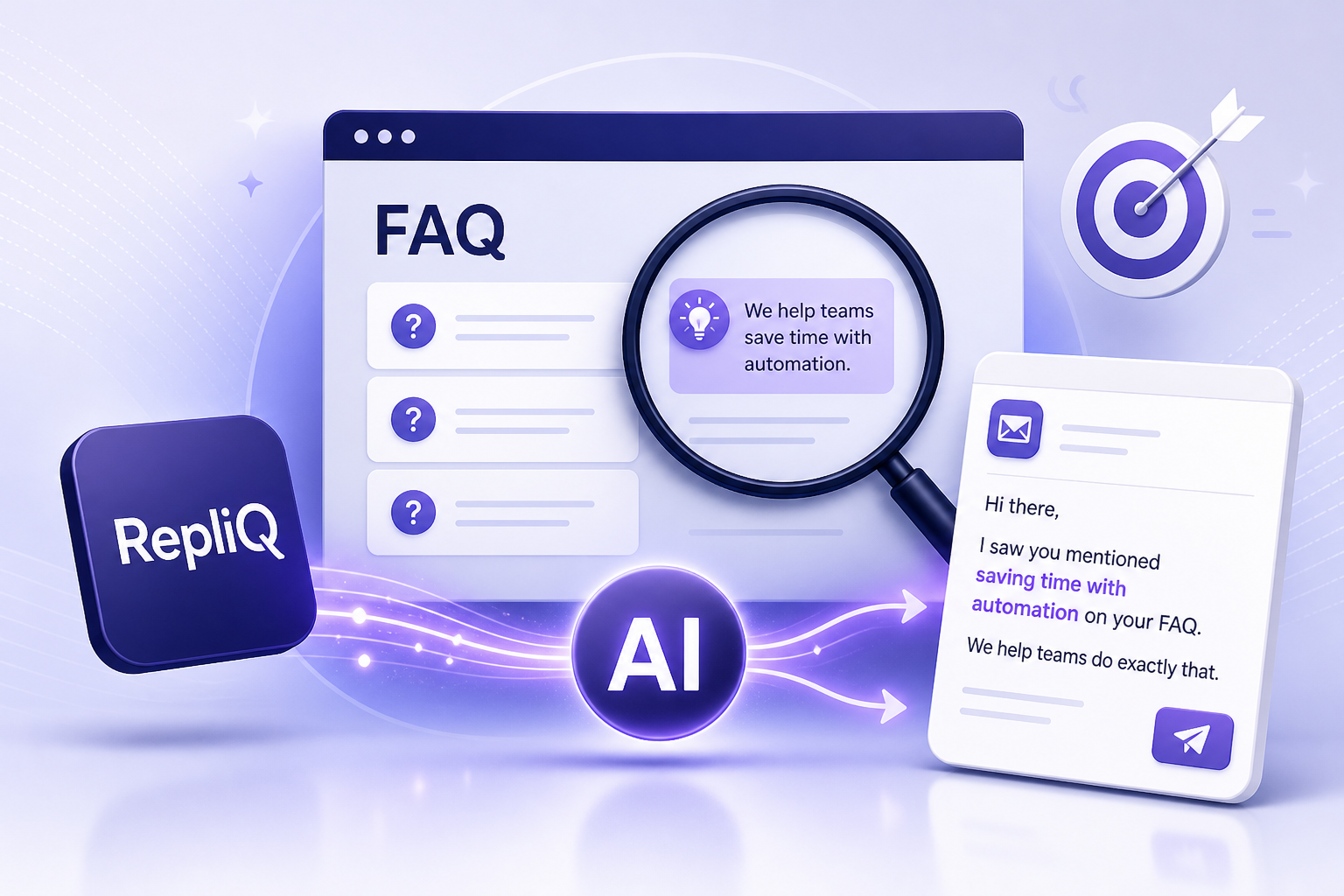
FAQ Page Personalization: How to Turn Website Research Into Personalized Sales Messages
Far too many outreach messages rely on superficial details to feign relevance. Dropping a company name, referencing a generic website headline, or mentioning a recent funding round does not demonstrate a real understanding of a prospect’s unique business concerns. This approach to website research outreach results in low conversion rates and frustrated buyers.
A prospect’s FAQ page, however, is a highly overlooked outreach signal. Companies build FAQ sections to address the recurring questions their buyers and users consistently ask. By analyzing these pages, you can uncover valuable insights regarding pricing friction, implementation timelines, necessary integrations, security protocols, support expectations, and desired outcomes.
This article will show you how to move from a basic FAQ observation to a concise, evidence-based personalized sales message. It is crucial to remember that an FAQ question is a public signal, not definitive proof of an individual buyer’s intent or specific pain point. Effective FAQ page personalization requires restraint, accuracy, and human review when interpreting public website content.
We will walk through a complete workflow: scan the page, classify the concern, validate the relevance, map the signal to a business benefit, write the message, review it, and send. By adopting this research-driven method, you can use tools like RepliQ as a practical way to turn prospect-specific research into highly personalized sales messages that actually resonate.
What a Prospect’s FAQ Page Can Reveal About Buyer Concerns
FAQ pages are incredibly useful sources of public buyer and customer signals because they document the exact friction points a company frequently encounters. When a business takes the time to publish an answer, it means the question is being asked often enough to warrant a standardized response.
However, effective customer FAQ analysis requires distinguishing between different types of questions. Some questions reveal potential buying friction, such as those addressing complex onboarding phases or opaque pricing models. Other questions are written primarily for existing customers troubleshooting a specific feature. Still, others are purely informational, yet they remain highly useful for understanding the overall complexity of the prospect’s product or service.
By carefully evaluating these pages, you can uncover a wealth of potential prospect pain points. FAQ content can reveal:
- Pricing and budget concerns: Are buyers frequently confused by tiered pricing or hidden fees?
- Setup, onboarding, and implementation requirements: Does the product require heavy technical lifting to deploy?
- Integration and compatibility questions: Which platforms must this solution connect with to be valuable?
- Security, privacy, and compliance concerns: Are enterprise buyers demanding specific certifications?
- Support, service levels, and reliability expectations: Is 24/7 support a major selling point or a frequent customer demand?
- Desired outcomes or proof of value: What measurable results are buyers most eager to see?
While these insights are powerful, the sender must avoid treating every FAQ as a confirmed objection held by the recipient. A published question is a hypothesis, not a guarantee of a buyer’s current priorities.
The practical rule for this research is simple: use the FAQ as a reason to investigate relevance, not as permission to make a personal assumption. To explore more about how website content can inform outreach, RepliQ’s broader research and personalization resources provide an excellent foundation for building evidence-led campaigns.
The Most Useful FAQ Categories for Sales Personalization
To turn website-based personalization into a repeatable process, you need a signal-to-message framework based on core business categories:
- Pricing: Indicates a possible concern about cost, budget approval, or pricing transparency.
- Implementation: Suggests a possible concern about time to value, internal resources, or operational disruption.
- Integrations: Points to a possible concern about compatibility with the buyer's current technology stack.
- Security: Highlights a possible concern about risk mitigation, data handling, or internal IT approval.
- Support: Reveals a possible concern about service continuity or post-purchase assistance.
- Outcomes: Shows a possible concern about measurable value or expected business results.
Identifying the category alone is not enough for effective sales personalization. The signal must logically connect to the recipient’s specific role and the core offer you are providing.
How to Tell a Real Buying Concern From General Information
Not every question on an FAQ page is useful for prospect research. To assess whether an FAQ insight is worth using in your outreach personalization, ask yourself the following questions:
- Is the question specific rather than broad or obvious?
- Does it relate to the exact problem your solution can help solve?
- Is the answer current and sufficiently clear?
- Does it connect to the recipient’s likely daily responsibilities?
- Can you reference it without implying private knowledge of their internal operations?
Remember that an FAQ can indicate product complexity without proving that the recipient is actively evaluating solutions for buyer objections right now. Treat the information as a contextual clue rather than a confirmed buying trigger.
A Repeatable FAQ-to-Outreach Personalization Workflow
To execute website research outreach efficiently, you need a practical, repeatable process for turning website research into compelling outreach copy. Without a structured workflow, sales prospecting research techniques can easily consume hours of your day with little to show for it.
We recommend recording each insight in a simple tracking worksheet containing these fields:
- Exact FAQ question or concise paraphrase.
- FAQ category.
- Likely business concern.
- Relevant buyer role.
- Evidence supporting the observation.
- Potential benefit to mention.
- Confidence level.
- Draft personalization line.
- Preferred call to action (CTA).
When executing sales email personalization, one strong, highly relevant observation is usually far more useful than stringing together several loosely connected website references. This streamlined workflow supports scalable personalization without turning every message into a long, overwhelming research summary.
Step 1 — Locate and Scan the Right FAQ Content
The first step in customer FAQ analysis is finding the right content. Relevant signals may appear on the main prospect FAQ page, a dedicated product or pricing FAQ, the company help center, implementation or integration documentation, or a specific security and compliance FAQ.
Before diving deep, confirm whether the page addresses prospective buyers, existing users, or both. Scan the headings and recurring question themes before reading every answer in detail. Note that sparse pages, outdated answers, or FAQs written strictly for end-users require extra caution, as they may not provide relevant signals for high-level prospect research.
Step 2 — Classify the Question and Extract the Signal
Next, move from the website’s specific wording to a neutral business interpretation. Break this down into three parts:
- FAQ observation: What the company publicly states on its website.
- Possible concern: What the question may indicate about prospect pain points or buyer objections.
- Outreach relevance: Why this specific concern could matter to the person you are emailing.
Do not copy large portions of the FAQ into your email, and never overstate what the question means. For the best website-based personalization, preserve the prospect’s specific terminology only where it sounds natural, accurate, and professional.
Step 3 — Connect the Signal to the Recipient’s Role
The same FAQ insight can lead to entirely different personalized sales messages depending on who is receiving it. For example, if the FAQ highlights complex implementation:
- Founders or executives: Focus on business impact, operational efficiency, growth bottlenecks, or risk.
- Sales leaders: Focus on pipeline quality, rep productivity, or message relevance.
- Marketing leaders: Focus on segmentation, campaign relevance, or content alignment.
- Customer success leaders: Focus on onboarding speed, support load, or the overall customer experience.
The FAQ page does not prove the recipient owns the issue. Use role-based messaging context to frame a relevant hypothesis rather than making a definitive, aggressive statement about their internal operations.
Step 4 — Map the FAQ Signal to One Clear Benefit
The final step in this workflow is mapping the concern to a clear value proposition. Use a simple framework:
- Concern → Relevant capability or outcome you provide.
- Evidence → The reason the message is timely based on the FAQ.
- Benefit → Why the recipient may actually care.
Avoid listing every product feature your company offers. A strong personalized cold email presents a single benefit that addresses the observed concern without outright claiming the prospect currently has a failing process. Good sales messaging is helpful, not accusatory.
How to Write a Personalized Sales Message From an FAQ Insight
Once you have extracted and mapped your signal, you need a concise message structure to bring it to life. The most effective personalized sales messages follow a four-part framework:
- Specific observation.
- Relevant interpretation or question.
- Clear benefit.
- Low-friction call to action.
The opening should demonstrate useful research without sounding like surveillance or excessive monitoring. Keep the message entirely recipient-centered rather than turning the email into a long-winded description of your product. Use plain language, focus on how to personalize cold outreach effectively, and stick to one primary idea per message.
Message Formula: Observation → Relevance → Benefit → CTA
To streamline your outreach personalization, use this reusable template structure:
“I noticed [specific FAQ observation]. Teams dealing with [relevant context] often need to [business requirement]. We help [role or team] [relevant benefit]. Would it be useful to [low-friction next step]?”
Replace broad claims with the prospect’s specific terminology where appropriate. If the FAQ signal is uncertain, use a question-based CTA. If the relevance is well-supported and highly specific, use a direct but low-pressure CTA. For more reusable message structures, examples, and personalized sales message template ideas, explore RepliQ's personalized-lines resource.
Before-and-After Examples by FAQ Category
To master buyer objection handling in outreach, review these illustrative personalized cold email examples. Avoid presenting unsupported performance claims when adapting these for your own use.
Implementation Concerns
- Generic message: "We help companies implement software faster. Want to see a demo?"
- FAQ-informed rewrite: "I noticed your FAQ mentions a standard 6-week onboarding window for new enterprise clients. Teams managing complex deployments often look for ways to cut that time down. We help CS leaders automate data migration to speed up time-to-value. Curious if this is on your radar?"
- Why it’s better: It references a specific timeline and connects it to the CS leader's goal.
- Assumption avoided: It doesn't claim their 6-week window is "broken."
Integration Questions
- Generic message: "Our tool integrates with everything."
- FAQ-informed rewrite: "I saw on your help center that customers frequently ask about connecting your platform to legacy ERPs. Managing custom API bridging can drain engineering resources. We help technical teams deploy pre-built ERP connectors in days. Would it be helpful to see how?"
- Why it’s better: It targets a specific technical headache highlighted by their own customers.
- Assumption avoided: It doesn't assume their engineers are currently failing to build integrations.
How Much Website Research Is Enough?
Many reps wonder how much website research before sales email sending is actually necessary. The practical stopping point is:
- One relevant FAQ signal.
- One role or business-context connection.
- One aligned benefit.
- One clear CTA.
Adding more website facts can make a message feel assembled by a machine rather than written by a helpful human. In sales personalization, prioritize relevance and accuracy over the sheer volume of personalization data. Website research outreach should be a scalpel, not a sledgehammer.
Common FAQ Personalization Mistakes—and How to Avoid Them
Even the best outreach personalization strategy can fall flat if executed poorly. Poor execution undermines otherwise useful research, turning a thoughtful message into fake personalization. To succeed with a personalized cold email, you must understand the difference between evidence-based personalization and superficial data-scraping, always preserving a human, respectful tone when referencing public content.
Mistake 1 — Repeating the Prospect’s Website Copy
Quoting a company’s FAQ verbatim without adding relevant business context does not create meaningful personalized sales messages. Use the FAQ observation as a bridge to a business issue, not as the entirety of the email. Warn your team against copying long passages, as this form of website-based personalization makes the recipient feel monitored rather than understood.
Mistake 2 — Treating an FAQ Question as Confirmed Intent
A published question may reflect a general customer need, not an active internal project. When conducting prospect research to uncover buyer objections or prospect pain points, use cautious language. Phrases such as “may,” “often,” or “curious whether” are essential when your evidence is indirect. Always follow up an observation with a lightweight validating question.
Mistake 3 — Using Outdated, Sparse, or Misaligned FAQ Content
Before using a signal, verify its quality. Check whether the FAQ appears current, applies to the relevant product or audience, relates to the recipient’s role, and provides enough context to support a message. If the customer FAQ analysis does not provide a strong signal, use another public source or avoid forced personalization altogether. Effective sales prospecting research techniques require knowing when to walk away from a bad signal.
Mistake 4 — Automating Without Human Review
While AI-assisted prospect research can help identify themes and draft lines, it can also misinterpret ambiguous language or invent connections that do not exist. To maintain sales personalization at scale, human review is mandatory. Review every message for factual accuracy, correct company and role context, natural tone, appropriate specificity, and the absence of unsupported claims.
For foundational guidance on transparency, reliability, accountability, and human oversight in automated systems, refer to the NIST AI Risk Management Framework.
Scaling FAQ-Based Personalization Without Losing Relevance
FAQ-based personalization serves as the perfect middle ground between fully manual research and generic automated templates. When building a personalized outreach workflow, it helps to contrast three distinct approaches:
- Manual research: Offers high control but is notoriously difficult to scale.
- Template-only personalization: Highly efficient but often shallow and easily ignored.
- AI-assisted workflow: Provides scalable pattern detection but strictly requires human verification.
While broad outbound platforms like Clay, Lavender, and Apollo focus heavily on data aggregation and tool-centric workflows, RepliQ’s evidence-led workflow emphasizes using automation to identify and organize public signals while relying on humans to validate relevance, accuracy, and tone.
To achieve AI-assisted prospecting and sales personalization at scale, build modular message components: the FAQ signal, the concern category, the role-specific benefit, the proof or explanation, and the CTA.
A Quality-Control Checklist for Every Message
Before sending at volume, implement a personalized outreach checklist to ensure rigorous sales message review and accurate prospect research:
- Is the FAQ observation accurate?
- Is the source relevant to the prospect?
- Does the message connect to the recipient’s role?
- Is the inference clearly framed as a possibility rather than a stated fact?
- Does the benefit directly address the observed concern?
- Is the message concise?
- Is the CTA easy to answer?
- Does the message avoid unnecessary personal or sensitive information?
Choosing Between Automation and Manual Review
Higher volume does not justify lower standards for accuracy or relevance in outreach personalization. Lean heavily into human-in-the-loop marketing and manual review when the FAQ is ambiguous, the company serves multiple audiences, the content appears outdated, the topic involves security, privacy, or compliance, or the message makes a strong business claim. AI sales personalization should enhance human intelligence, not replace it.
Compliance, Privacy, and Trust in Website-Informed Outreach
The fact that an FAQ page is publicly available does not remove the need for responsible sales outreach. Privacy in personalization is paramount. You must avoid referencing sensitive or personal information unnecessarily, suggesting you have access to private customer data, making claims about internal priorities that the website does not explicitly support, or presenting an inferred concern as a confirmed intent to buy.
Ethical cold email compliance requires a truthful sender identity, a clear commercial purpose, and an accessible opt-out process for applicable campaigns. For comprehensive rules on truthful headers, subject lines, sender identification, physical-address requirements, and unsubscribe handling, consult the FTC CAN-SPAM compliance guide.
Furthermore, when utilizing AI to scale your research, align your processes with the OECD AI Principles, which champion transparency, accountability, privacy, and the human-centered use of AI.
It is also important to recognize the line between relevance and intrusiveness. While research on personalization and ad transparency highlights the risks of highly specific tracking in consumer advertising, FAQ-based outreach relies purely on public business documentation. Similarly, if you are exploring the use of identifiable customer information, distinguish the context of the study on personalization in email advertising from the B2B FAQ-page methods discussed here.
Always remember that compliance requirements vary by audience, location, and campaign context; obtain appropriate legal guidance for your specific use case.
Practical FAQ Personalization Worksheet
To implement this FAQ personalization framework effectively, use this website research template to track your insights and draft personalized sales messages.
| Prospect/Company | FAQ URL | Exact Question / Observation | Category | Possible Concern | Target Role | Relevant Benefit | Confidence Level | Draft Opening Line | CTA | Human-Review Notes |
|---|---|---|---|---|---|---|---|---|---|---|
| Acme Corp | acme.com/faq | "How long does it take to integrate with Salesforce?" | Integrations | Slow deployment times draining IT | VP of Engineering | Pre-built API connectors | High | "I noticed your FAQ addresses Salesforce integration timelines..." | "Curious to see how we cut that time in half?" | Check if VP Eng owns CRM integrations |
Keep the final email focused on one single signal rather than reproducing the entire worksheet. When you are ready to scale this process and convert verified prospect research into tailored messaging, RepliQ is the ideal next step.
Conclusion — Use FAQ Content to Make Outreach More Relevant, Not More Intrusive
FAQ page personalization is a powerful way to elevate your website research outreach. By finding the right FAQ content, identifying a specific signal, classifying the concern, connecting it to a role, mapping it to a benefit, and writing a concise message with a low-friction CTA, you can craft personalized sales messages that command attention.
The core advantage of this method is that FAQ pages provide a structured source of stated customer concerns. However, responsible personalization depends entirely on your interpretation and restraint. Review every message for accuracy, privacy, and tone to ensure you are building trust, not eroding it.
Start small: focus on one prospect, one FAQ insight, and one message before attempting to build a complex, automated system. Human review remains essential for trustworthy outreach. When you are ready to turn your research observations into scalable, customized copy, explore RepliQ's personalized-lines to streamline your writing process, or visit RepliQ to see how our research-driven platform can transform your outbound strategy.
FAQ
How do I personalize outreach using a prospect’s FAQ page?
To succeed at FAQ page personalization, follow four short stages: identify a relevant FAQ signal, connect it to the recipient’s specific role, map it to a clear business benefit, and write a concise message with a low-friction CTA. The FAQ should support your message's relevance rather than serve as definitive proof of buying intent. This is the key to learning how to personalize outreach effectively.
What should I look for on a prospect’s FAQ page?
During customer FAQ analysis, look for recurring themes around pricing, implementation, integrations, security, support, and expected outcomes. The most useful signals to uncover buyer objections are specific, current, logically connected to your offer, and highly relevant to the recipient's daily responsibilities.
How can I avoid sounding automated when referencing FAQ content?
To ensure your outreach personalization feels human and avoids reading like a generic personalized cold email, mention just one useful observation instead of summarizing their entire FAQ page. Use natural language, cautious framing (e.g., "I'm curious if..."), and a role-relevant benefit. Always require human review before sending AI-assisted drafts.
Can FAQ research be used for different buyer roles?
Yes. The same FAQ category can be framed differently to create personalized sales messages for various stakeholders. For example, an implementation delay might be framed as a risk issue for founders, a productivity issue for sales leaders, or a churn risk for customer success teams. Use role-based messaging to guide your hypothesis, but do not assume it confirms their ownership of the problem.
How much website research should I do before sending a sales email?
For effective website research outreach and sales personalization, stop researching when you have one verified observation, one relevant business connection, one aligned benefit, and one clear CTA. Additional research often creates diminishing returns, leading to cluttered emails and forced personalization that overwhelms the buyer.

.svg)
.png)


.svg)